YOUR ENTERTAINMENT, IN ONE PLACE
Your playlist.
Your way to watch.
Live TV, movies and series. Bring your own playlist and settle into a player that keeps everything within reach.
Windows 64-bit · Version 0.1.1 beta · Currently unsigned
Free player. Your own content.
No trial limit. No license fee. No app subscription.
Zivo Player is a free video media player. It does not sell playlists or subscriptions, provide channels, or include any content. Users must obtain their own content from independent providers and ensure they have permission to access it.
Zivo Player is not responsible for content supplied by users or third parties.
LESS SEARCHING. MORE WATCHING.
Everything has
its own place.
Move between channels, films and series without mixing up your library.
Stay with the action.
Browse your channel list while the live preview plays beside it. Pause, resume or go fullscreen.
LIVE TV + INLINE PREVIEWFind your next watch.
Separate Movies and Series sections, provider categories, search and favourites keep your playlist easy to explore.
MOVIES + SERIESKnow what’s on next.
Add your provider’s XMLTV URL or file to see now and next programmes for matching channels.
XMLTV EPG SUPPORTA CLOSER LOOK
A little preview.
A bigger picture.
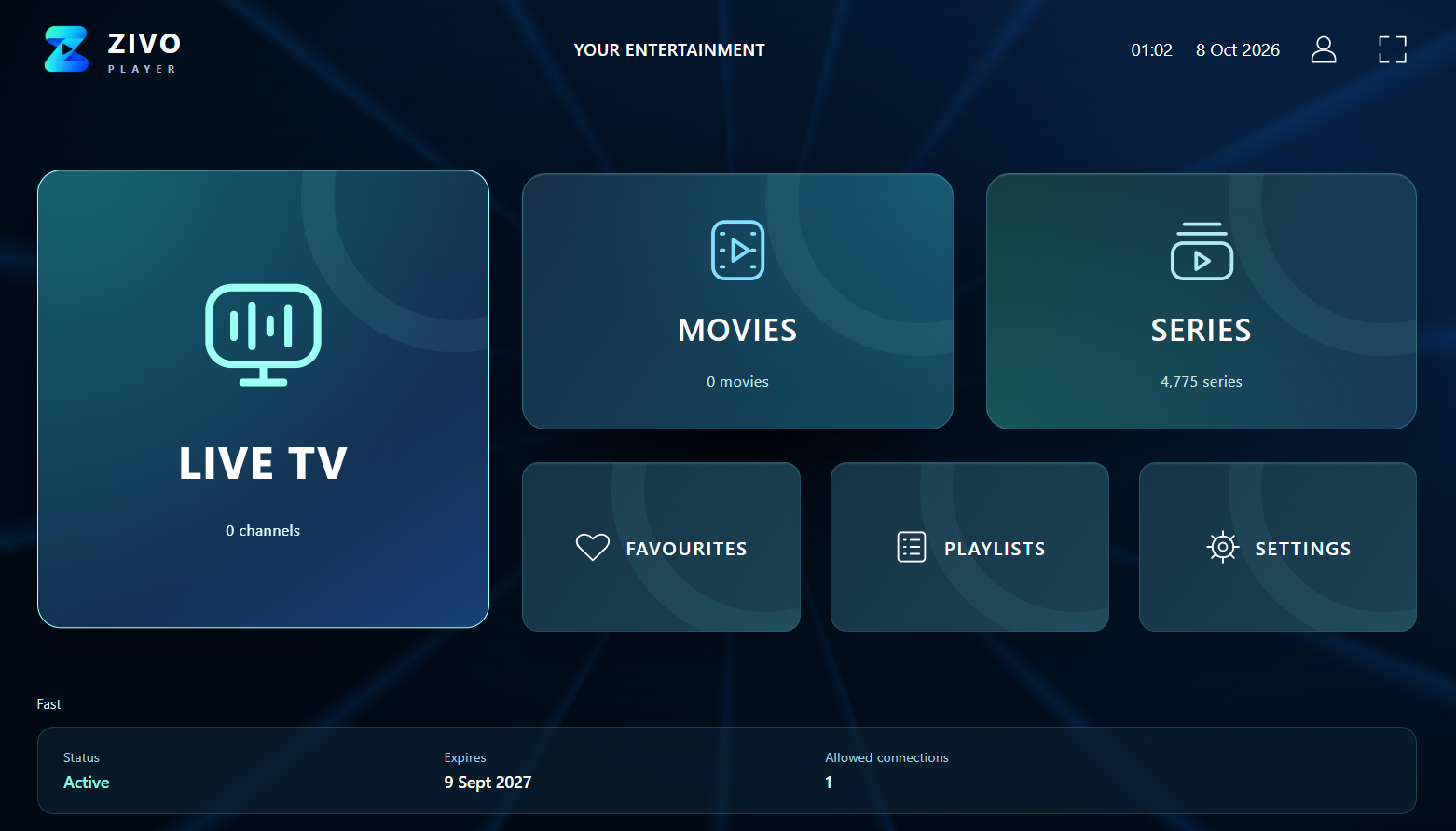
Open Live TV, Movies or Series from the dashboard. Use your mouse or navigate with the keyboard.
Screenshot shows a connected provider library. Available content depends on your own provider. Zivo does not include TV channels, films or subscriptions.
START WATCHING YOUR WAY
Meet your next
Windows player.
Download Zivo Player 0.1.1 beta.
Fullscreen playback, simple mouse controls and provider account information.
Windows available now.
Android, Fire TV and iOS are planned.
Zivo Player
Windows x64 · 0.1.1 beta
Prefer MPV?
Try the separate ZIVO MPV player with M3U links and Xtream Codes. MPV engine setup is required separately.
ZIVO MPV download & setup223 MB · Portable folder · No installation required
Extract the entire ZIP to a folder, then open Zivo Player.exe. Keep the supplied files together. Add your own playlist or local media.
Click the video to play or pause. Double-click to enter or exit fullscreen.
About this betaThis release is unsigned. Windows Smart App Control may block it. Full Windows and provider testing is still in progress. A signed release is not yet available.
SHA-256 checksum
1ca510f13353ff63400d7673beabf226c046a137de0f5fa44e7fe51bf83b8cc4
A FEW GOOD ANSWERS
Before you press play.
Does Zivo include channels or a subscription?
No. Zivo is a media player. Add your own provider’s M3U playlist, Xtream login, direct stream or a compatible local media file.
How do I add my playlist?
Open Zivo, choose Add playlist, then select Load playlist / File / URL. Paste an M3U URL or open a playlist file. For a server address, username and password, choose Player API · Xtream Codes.
How do I get the TV guide working?
Open Settings → TV Guide / EPG and add your provider’s uncompressed XMLTV URL or file. Channel IDs in the guide must match the playlist. Times use your PC’s timezone. The guide stays available for that session.
Why is Windows blocking the download?
Version 0.4.3 is an unsigned beta. Smart App Control can block apps without a trusted signature or established reputation. A website SSL certificate does not sign the Windows application. This page will identify a signed release when one is available.
Does live pause work like recording?
Play and pause are supported, but a live stream can only retain the buffer provided by its source. Long pauses, rewinding, picture quality and supported formats depend on your provider and device.
Where are my playlist details stored?
Save multiple playlists on your PC with Windows-protected encryption. URL playlists refresh on startup and every 30 minutes while the app is open; local files must be imported again. TV guides stay in the current session. This website has no playlist upload form. Your playlist details are entered in the player.